2b. Design
The Design tab provides advanced customization options for your shoe last.
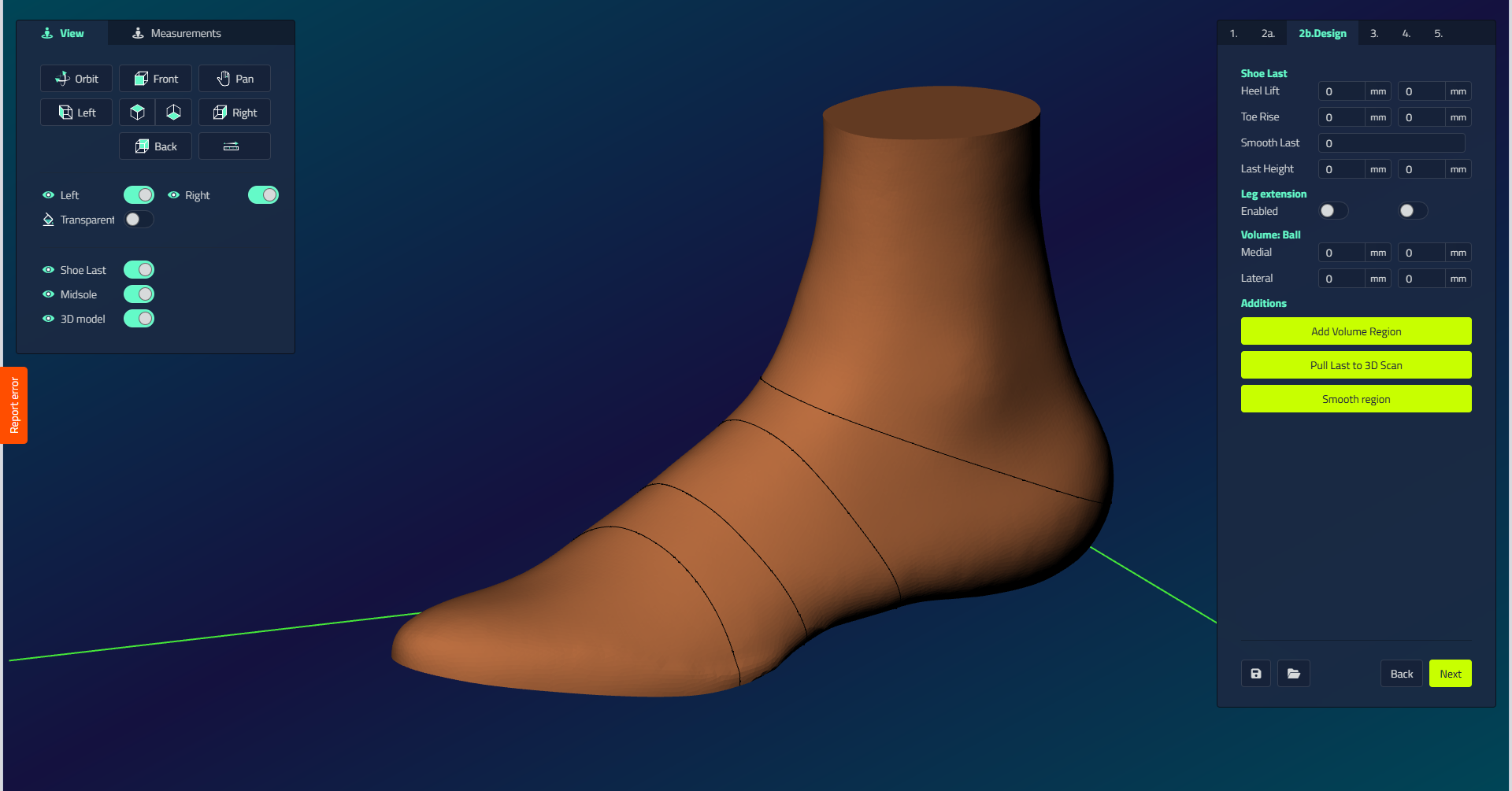
| Control | What it does |
|---|---|
| Smooth Transition | Controls the smooth factor between the foot and the template. Factor: smoothing iterations. Radius: intersection smoothing distance. Only visible with Union Last. |
| Heel Lift | Adjusts model to desired heel lift height. |
| Toe Rise | Sets toe rise to desired height. |
| Smooth Last | Smooths entire model while preserving sharp edges. |
| Last Height | Cuts the last at specified height measured from the heel lift level. |
| Make Leg Round | Creates round leg shape starting from above the ankles. Only visible with Union Last. |
| Leg Extension | Extends the leg to a specified height and girth. Use Last Height first to make the top side planar. |
| Volume: Ball | Medial: widens the medial ball side. Lateral: widens the lateral ball side. |
Additions
| Action | What it does |
|---|---|
| Add Volume Region | Draw a point, curve, or area to add or remove volume; the software automatically closes the curve when end points are near each other. Set Height (desired height to add/remove in millimeters) and Radius (distance over which volume blends into the last). Negative values remove volume. |
| Pull Last to 3D Scan | Pulls the selected region toward the 3D scan for total contact areas or ankle copying. |
| Smooth Region | Draw a specific area for targeted smoothing. |
Shoe last actions
Selecting the shoe last gives these buttons in the Action panel:
| Button | What it does |
|---|---|
| Box | Opens an editable cage with size presets (Small to Extra extra large) to reshape the last. |
| Mirror | Mirrors the last to the other side. |
| Mirror contour | Mirrors the last's outline to the other side, so you can compare the toe box shapes. Also offers Mirror contour side view. |
| Brush smooth | Drag the brush across the surface to smooth it. |
| Brush pull | Drag the brush to pull (bulge) the surface. |
| Brush push | Drag the brush to push (indent) the surface. |
| Rotate | Rotate the last. Only for an imported last. |
For how each action works in detail, see Tools and actions.