Production
Location: Top bar → Production
The Production screen has three tabs: Production, Archive, and Created milling tables.
1. Production (active)
Shows all productions that have not yet been manufactured.
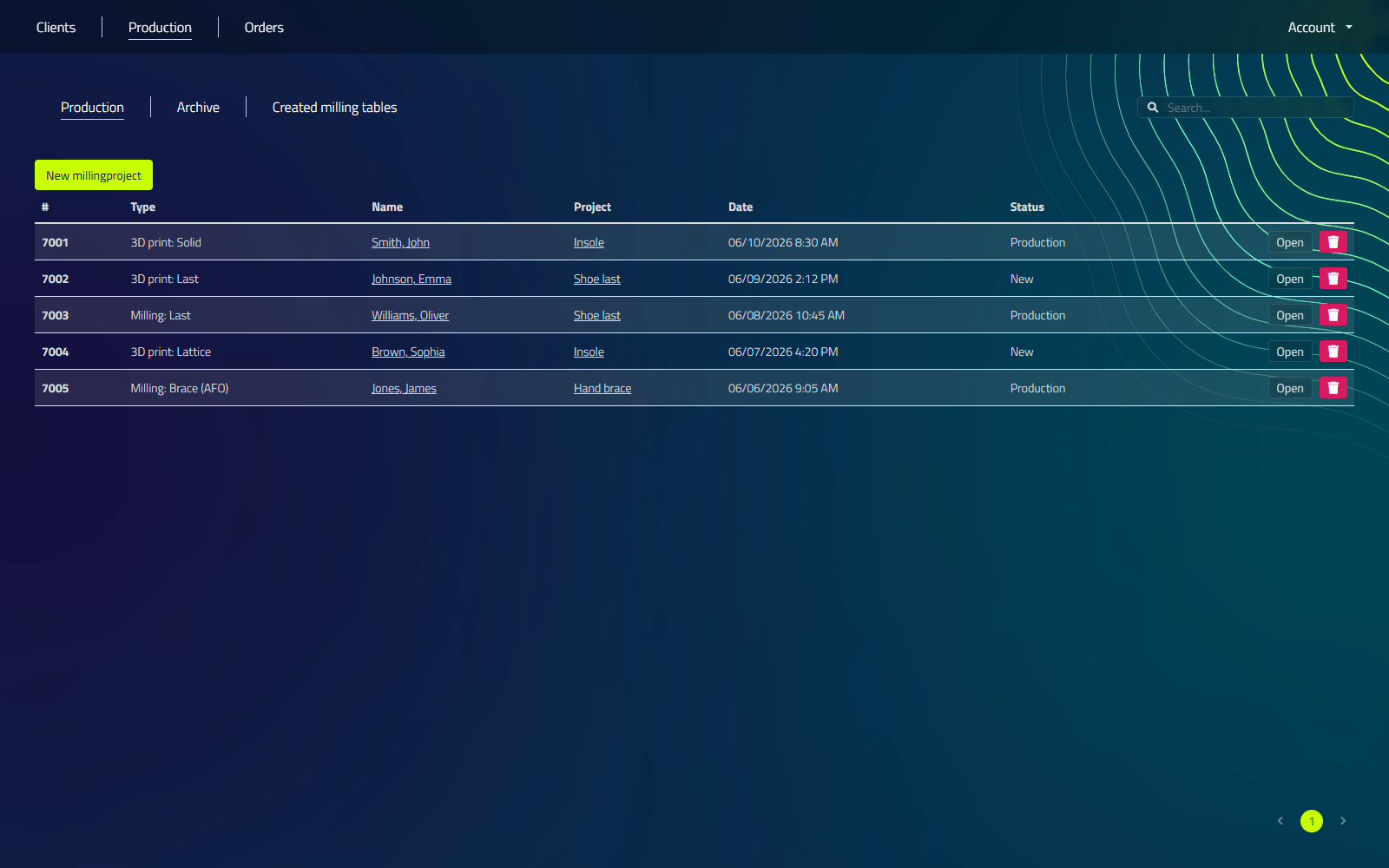
Controls
| Control | What it does |
|---|---|
| Search field | Filters the list by client or project name. |
| New millingproject button | Above the table. Opens the milling table dialog to start a new milling production. |
Table columns
| Column | Description |
|---|---|
| # | Production ID |
| Type | Production type, see production types below |
| Name | Client name, click to open the client |
| Project | Project name, click to open the project |
| Date | Date the production was added |
| Status | New, Production, Archived, or Deleted |
| Open | Opens the production in the CAD program |
| Trash icon | Delete: cancels and removes the production |
Clicking the trash icon asks for confirmation: "Are you sure you want to cancel this production?" Confirm with Yes, cancel production. This cancels the production order only. The underlying design is not deleted.
Production types
| Type | What it produces |
|---|---|
| Milling: Insole | Milled insole |
| Milling: Insole mold | Cast mold for an insole |
| 3D print: Solid | Solid 3D-printed insole |
| 3D print: Shell | 3D-printed shell insole |
| Milling: Shell | Milled shell insole |
| Milling: Last | Milled shoe last |
| 3D print: Last | Printed shoe last |
| 3D print: Last shell | Shell-printed shoe last |
| Milling: Midsole | Milled midsole |
| 3D Printing: Midsole | Printed midsole |
| 3D Printing: Foil (test shoe) gross | Rough printed test shoe |
| 3D Printing: Foil (test shoe) net | Finished printed test shoe |
| Milling: Brace (AFO) | Milled AFO brace |
| 3D Printing: Brace (AFO) | Printed AFO brace |
| Milling: Brace (Hand splint) | Milled hand splint |
| 3D Printing: Brace (Hand splint) | Printed hand splint |
| Milling: Brace (Helmet) | Milled helmet |
| 3D Printing: Brace (Helmet) | Printed helmet |
These are the exact labels LutraCAD shows in the Type column. Milling and 3D-printing outputs share the same list because both production methods run through the same queue.
LutraCAD allows configuration of multiple tables with different settings. When creating a new production, you can:
- Import insoles or midsoles into the table
- Align items for optimal production
- Configure various settings including:
- Speeds
- Contours
- 1-sided or 2-sided milling
- Pockets
- And more
2. Production (archive)
Shows all productions that have already been manufactured.
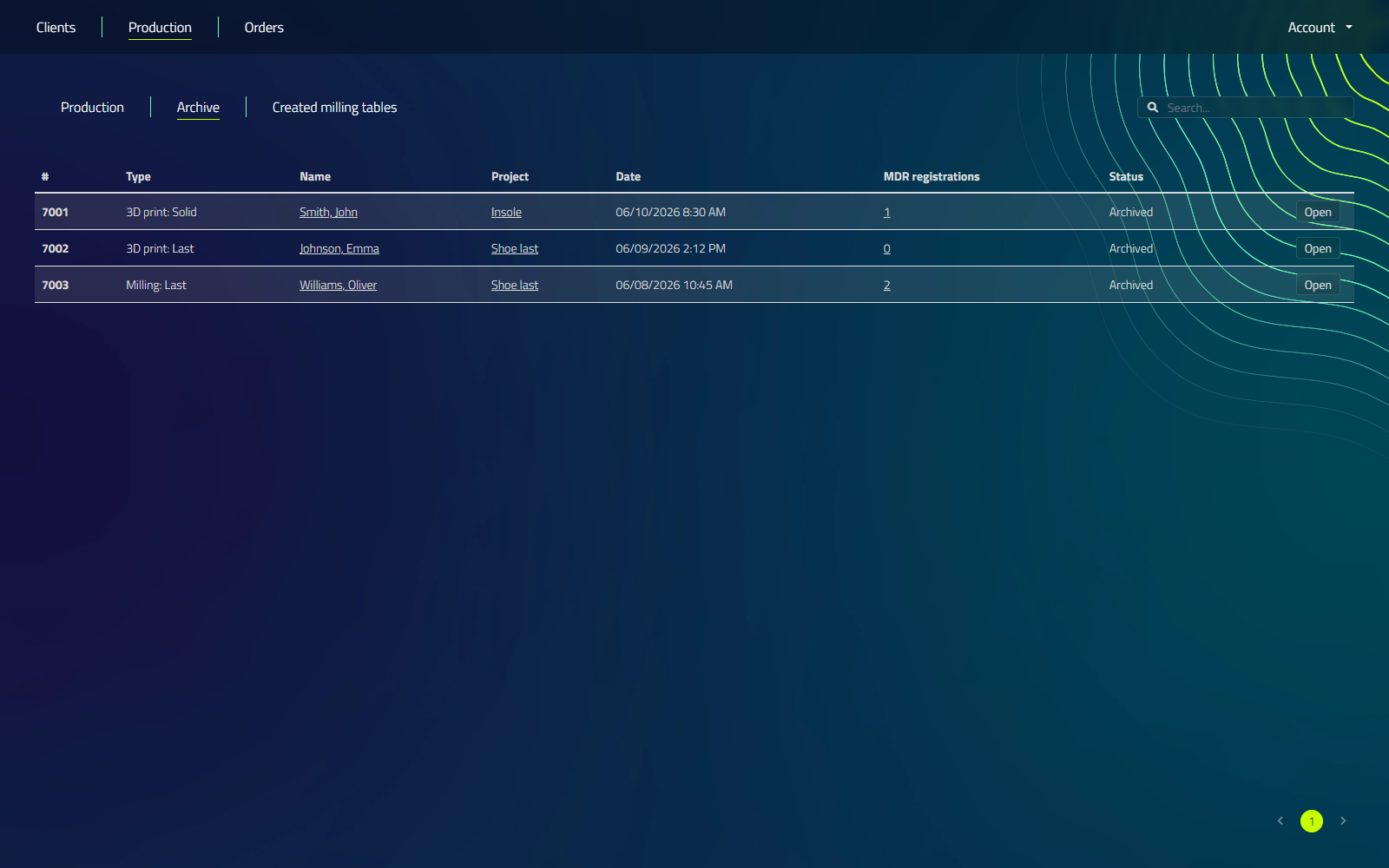
Controls
| Control | What it does |
|---|---|
| Search field | Filters the list by client or project name. |
Table columns
| Column | Description |
|---|---|
| # | Production ID |
| Type | Production type, see production types above |
| Name | Client name, click to open the client |
| Project | Project name, click to open the project |
| Date | Date the production was added |
| MDR registrations | Count of MDR registrations for this production, click the number to open the MDR documentation overlay |
| Status | Production status, normally Archived |
| Open | Reopens the production in the CAD program |
The MDR (Medical Device Regulation) option is enabled in Settings under the MDR tab, where you configure your company details and the required declaration text. Each time a production is exported, one MDR registration is added under that production, so it stays available in the overlay for compliance purposes.
3. Created milling tables
Lists all milling table documents that have been produced.
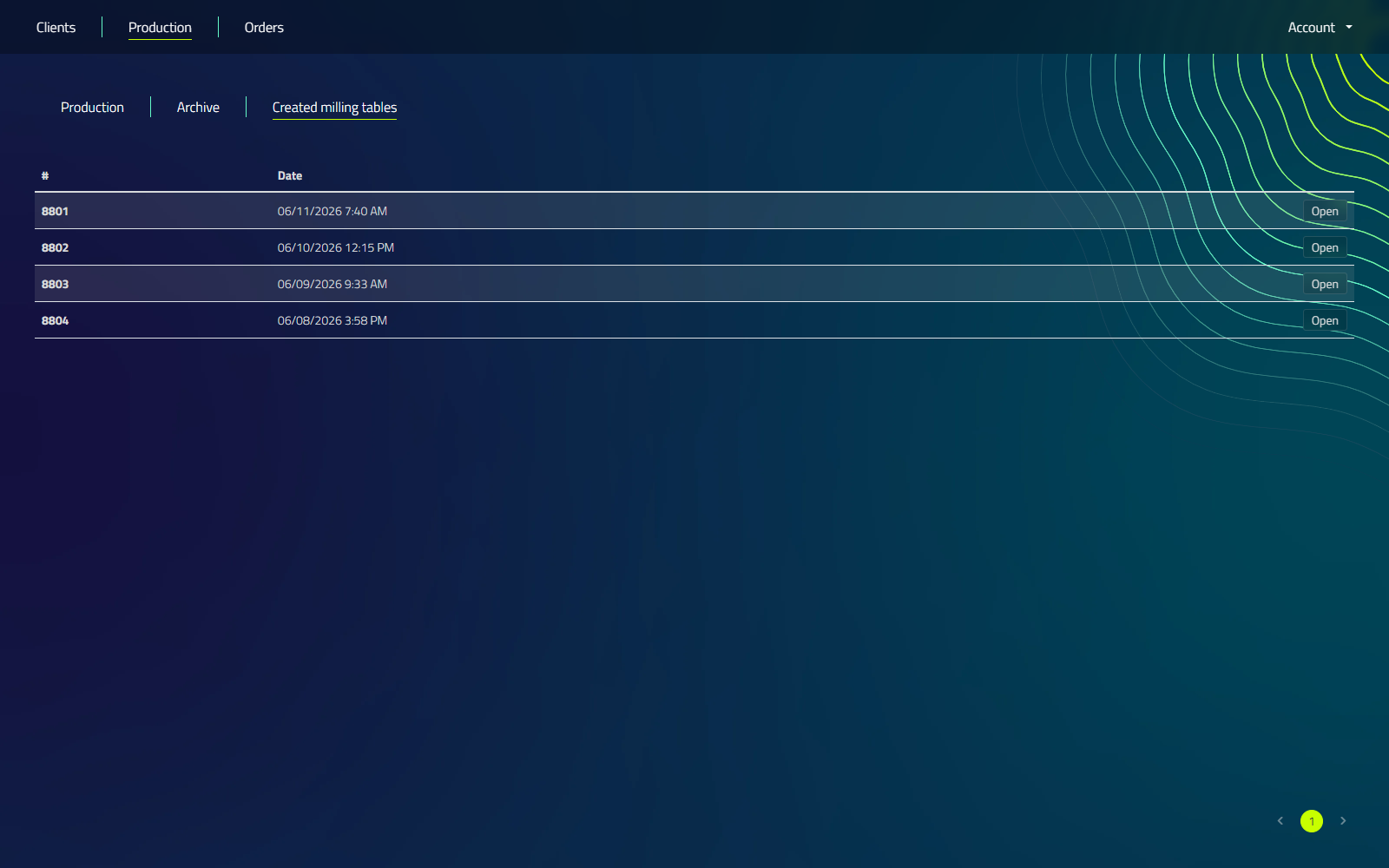
Table columns
| Column | Description |
|---|---|
| # | Document ID |
| Date | Date the milling table was created |
| Open | Reopens the milling table in the CAD program |
General production workflow
- New productions appear in the Production tab.
- Process the production (3D printing or milling).
- Once completed, the production moves to the Archive tab.
- For milling productions, the milling table itself is also listed under Created milling tables.
Ensure your MDR settings are correctly configured in Settings to maintain regulatory compliance with each production export.