Print History
Location: Sidebar → Print History
Print History lists completed prints for the farm, and is fully searchable.
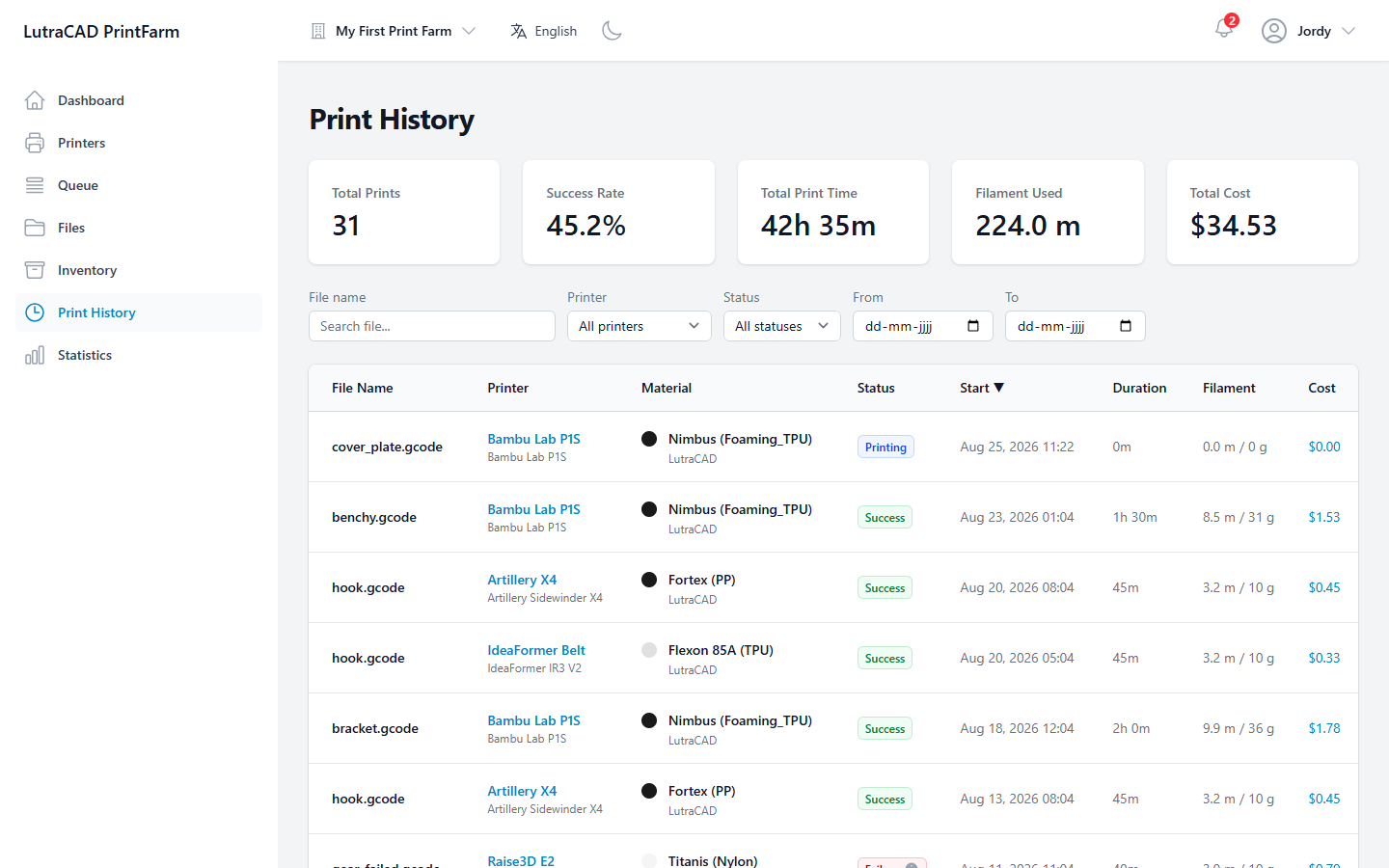
Five summary cards head the page: Total Prints, Success Rate, Total Print Time, Filament Used and Total Cost. Filter by File name, Printer, Status and a From and To date range.
The table has one row per print:
| Column | Shows |
|---|---|
| File Name | The printed file |
| Printer | Which printer ran it |
| Material | Material used |
| Status | Printing, Success, Cancelled or Failure |
| Start | When the print started |
| Duration | How long it ran |
| Filament | Filament used |
| Cost | Total cost, as a button |
A Failure badge with a recorded reason opens a Failure Reason dialog.
The Cost value is a button that opens a Cost breakdown: Material, Electricity, Machine time, Labor and Total, plus the Inputs (frozen at print finish) that were used to work it out. When there is nothing to show, the table reads No print history found.
The cost inputs are frozen when the print finishes, so changing the farm's cost settings later does not rewrite past prints. See Good to know.