The print queue
Location: Sidebar → Queue
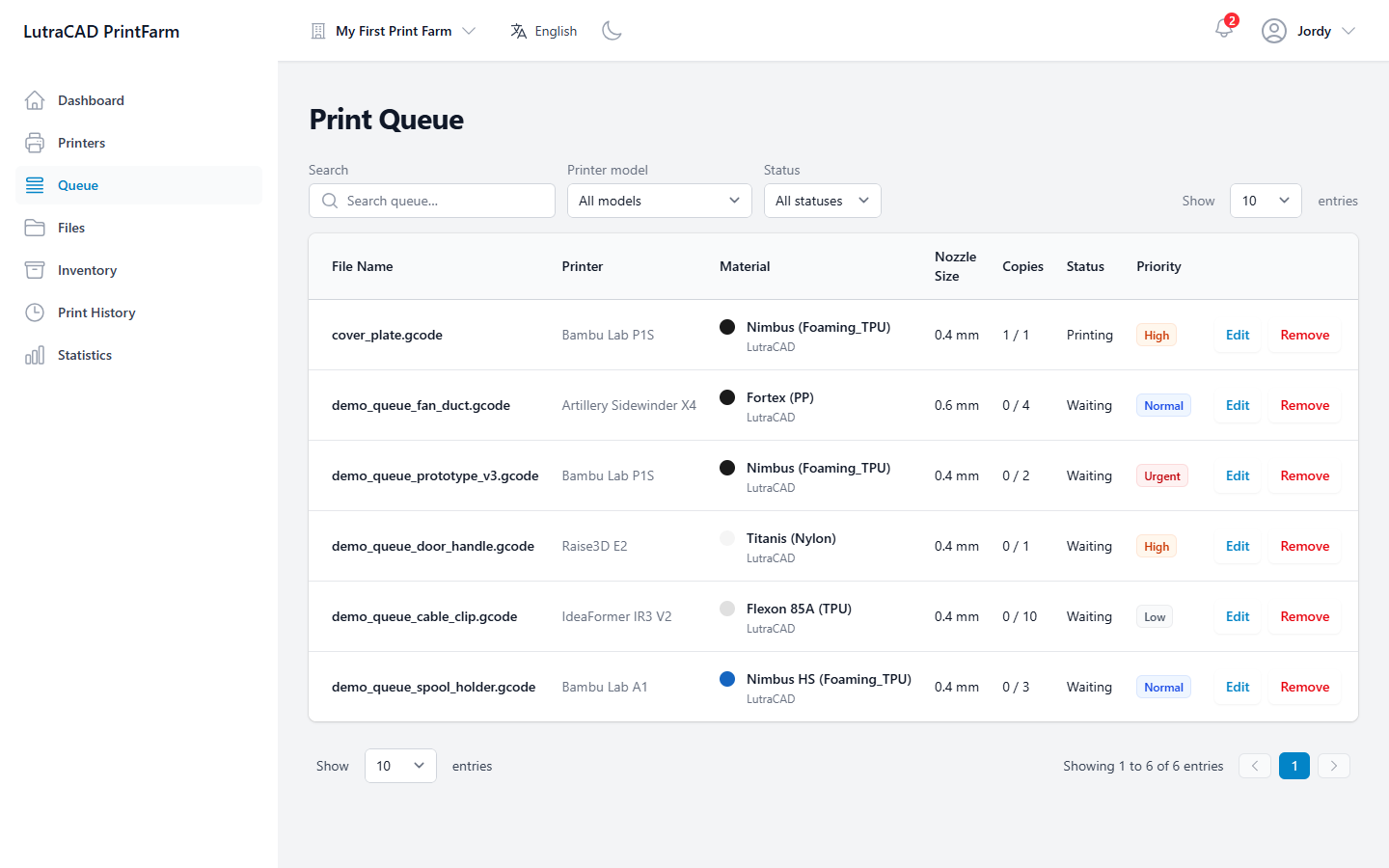
The print queue lists jobs waiting to print and jobs currently printing, for the selected farm.
note
Jobs are added from the Files screen: use Print on a file, or Upload & Print when uploading. The Queue screen itself has no "add" button, and there is no drag-to-reorder.
Filters
- Search queue… filters by file name.
- Printer model narrows to one model, or All models.
- Status shows All statuses, Waiting or Printing.
- Show … entries sets 10, 25, 50 or 100 rows per page.
The table
| Column | Shows |
|---|---|
| File Name | The file to print (sortable) |
| Printer | The target printer model |
| Material | Colour, material name and type |
| Nozzle Size | Nozzle in mm |
| Copies | Completed or active count against the total |
| Status | Printing, Done or Waiting |
| Priority | Low, Normal, High or Urgent, colour-coded and sortable |
| Actions | Edit or Remove |
Status is worked out live from the print results, so it is always current.
Row actions
Edit and Remove appear only on jobs that have not completed, and only for team members who may manage jobs.
- Edit Print Job lets you change the Number of Copies and the Priority, then Save Changes.
- Remove Print Job asks "Are you sure you want to remove this print job?" Confirm with Remove Job.
warning
Removing a print job is permanent. The job is deleted from the queue and this cannot be undone.